LOIGO: Just say it.
The teleprompter for iPhone and iPad that moves when you speak and waits when you improvise.
Coming soon to the App StoreFree download

- One-time · €9.99
- No subscription
- No account
- iPhone & iPad
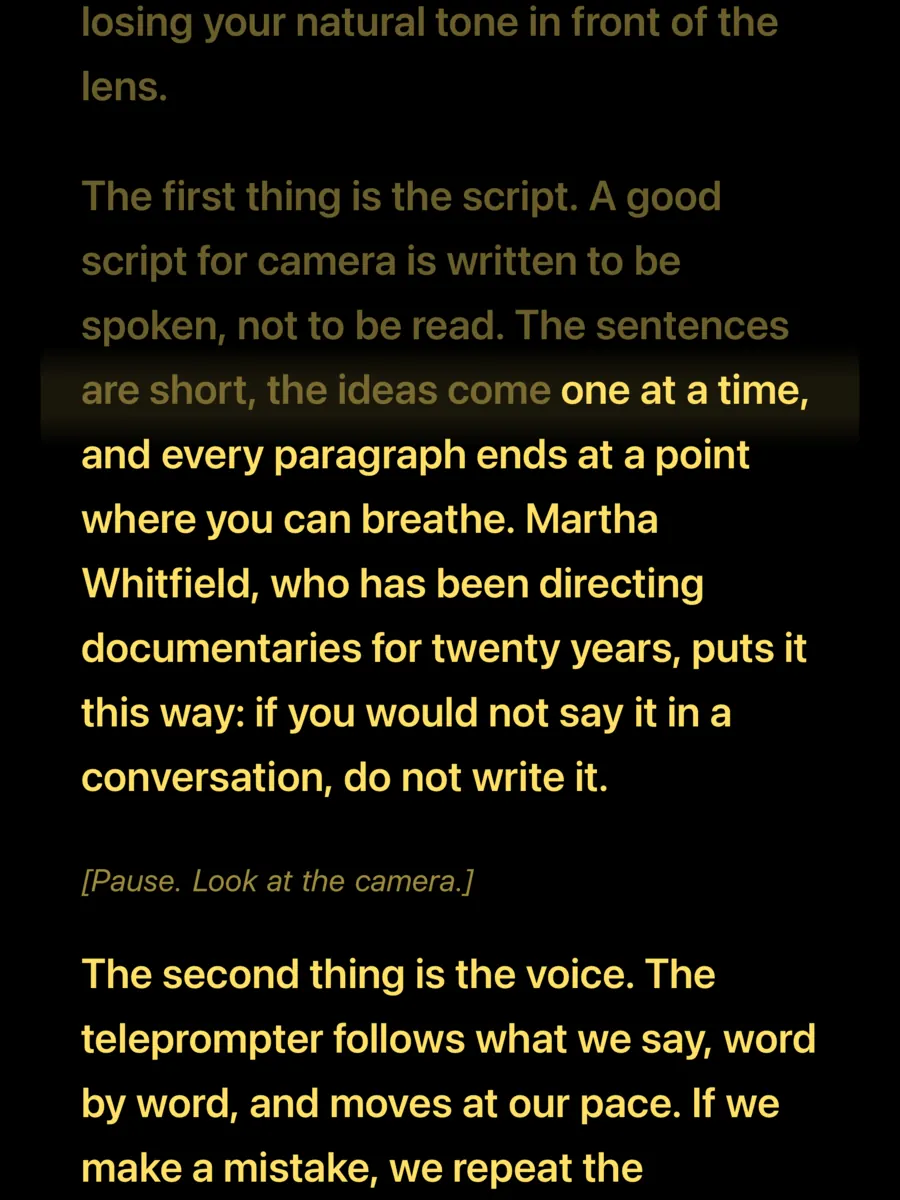
The second thing is the voice. The teleprompter follows what we say, word by word, and moves at our pace. If we wander off for a moment, the text waits until we come back to the script. You do not chase the screen: the screen chases you.
You speak and the text keeps up. What you've read fades; go off script and it holds still.
The app, as it is.
Screenshots of the app itself on an iPhone, with a demo script.
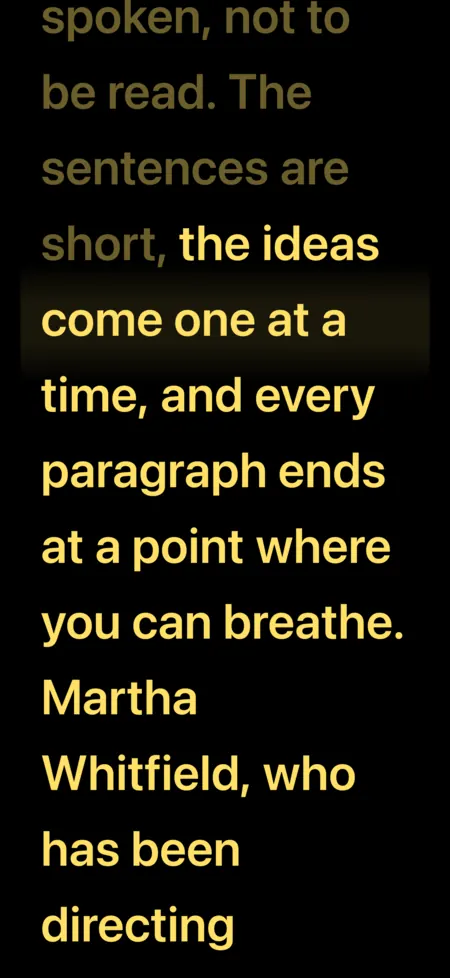
ReadingThe text moves with your voice and what you've read fades. 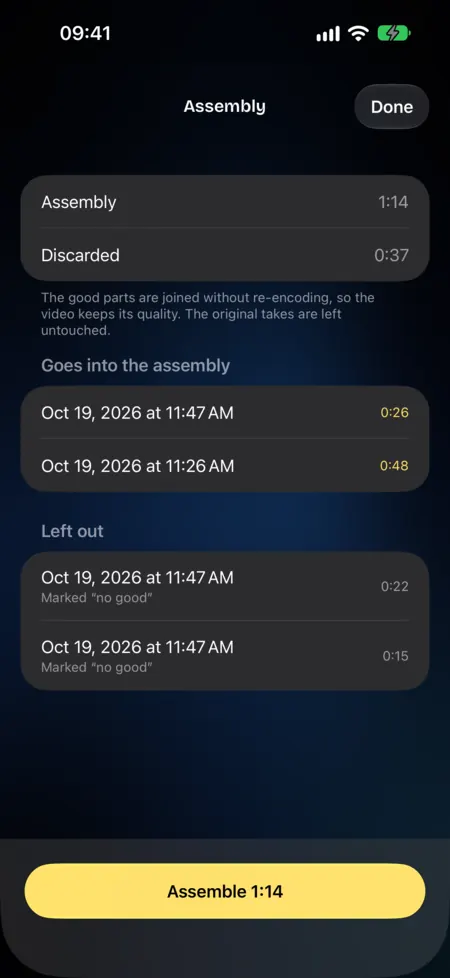
AssemblyThe good parts go in; anything marked “No good” stays out. 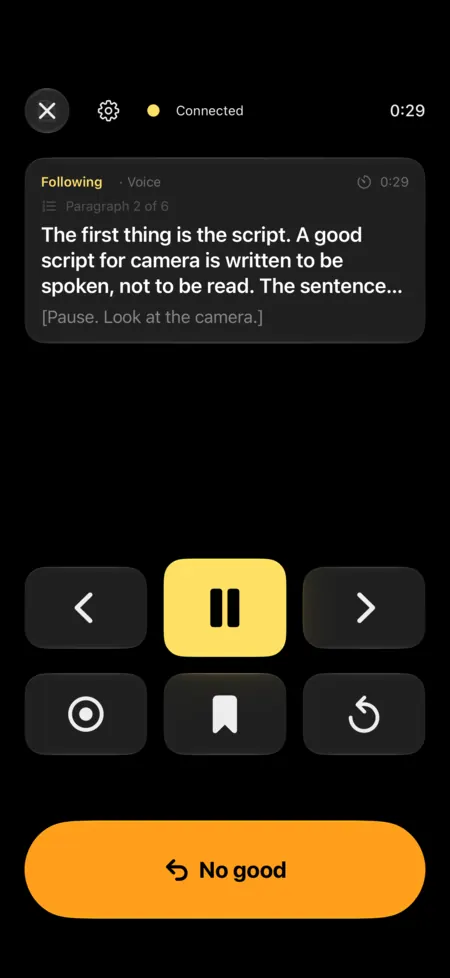
RemoteA second iPhone runs the reading and the recording. 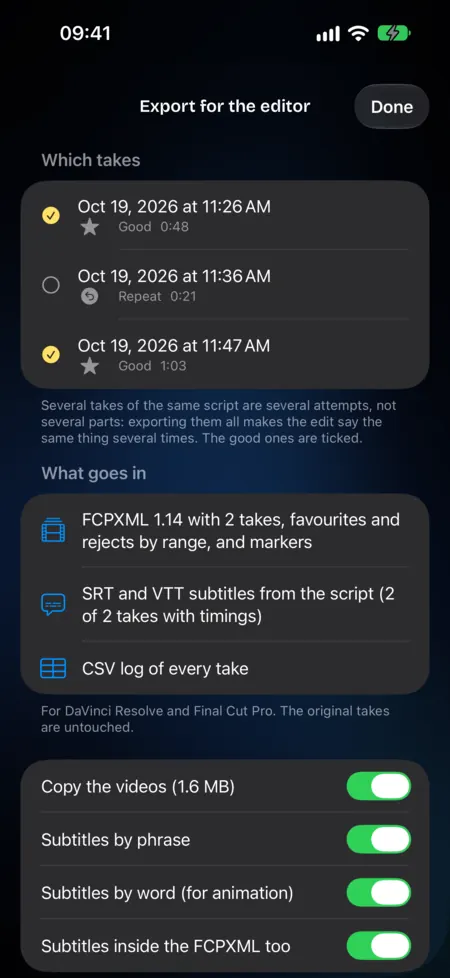
ExportOne folder, ready for Final Cut Pro or DaVinci Resolve.
On iPad, with more of the script in view.
The same app on iPhone and iPad. Your scripts move between them through your own iCloud.
What LOIGO does
-
Pro
It follows your voice, in your language
Apple's speech recognition runs on your iPhone or iPad. Your voice never leaves the device and no internet is needed, except once to download the model for your language.
- You readThe text moves with you.
- You improviseIt holds still and waits.
- You come backIt picks up where you are.
-
Pro
One folder for your editor
FCPXML for Final Cut Pro and DaVinci Resolve, EDL for other editors, SRT subtitles built from your script, and the take log.
-
Pro
“No good”, and the camera keeps rolling
Tap it or press it on the remote: the take is marked and the text jumps back a paragraph. When you're done, LOIGO assembles the good ones without re-encoding the video.
The original is never touched. Every cut shows its reason.
-
Pro
Mirror for glass, and a remote
Horizontal and vertical mirroring for beam-splitter rigs. A second iPhone or iPad works as a remote over local Wi-Fi, encrypted and with no account.
-
Free
Your scripts, on your iPhone and your iPad
Write in the editor or import your files. They sync through your own iCloud: we can't see any of it.
- TXT
- RTF
- Markdown
- Word
- Whole folders
For anyone who talks to camera.
- CreatorsReels, YouTube and TikTok without memorising lines or glancing sideways.
- JournalistsPieces to camera with the words you wrote, not the ones you remember.
- TeachersRecorded lessons and courses at your own pace, with room to think.
- Corporate videoAnnouncements and training with no prompter operator: the text follows whoever is speaking.
Pay once. No subscription.
€9.99
LOIGO Pro, launch price
Plenty of teleprompter apps charge every month. LOIGO Pro is paid once, and the download is free.
Coming soon to the App StoreFree download
For iPhone and iPad running iOS 26 or iPadOS 26 or later.
FreeFor good, no watermark
- Scripts, folders and import
- Editor with version history
- Fixed-speed and timed reading
- Basic Camera mode
- Sync through your iCloud
LOIGO ProOne-time purchase
- Voice follow
- “No good” and automatic assembly of the good takes
- Mirroring for teleprompter glass
- Remote with another iPhone or iPad
- SRT, FCPXML and EDL export
- Take log
Try Pro free for 7 days. The trial does not renew and never charges you: when it ends, the app goes back to the free version and you keep your scripts and takes.
Questions
Which languages does it work in?
Voice follow works in the languages your device's speech recognition supports. The app is available in English, Spanish, Portuguese (Portugal and Brazil), French, Italian, German, Japanese and Korean.
Do I need an account? What leaves my iPhone?
There is no account. Speech is recognised on the device and never leaves it. Your scripts travel only through your iCloud and purchases are handled by Apple. LOIGO collects no data.
Does it need the internet?
No. You only need a connection the first time you use a language, if the system has to download its speech model. After that, reading, recording and exporting all work offline.
What does LOIGO Pro include?
Voice follow, “No good” with automatic assembly of the last good take, mirroring, the remote with another iPhone or iPad, SRT, FCPXML and EDL export, and the take log. You pay once, with no subscription.
Does it work on iPad?
Yes. The same app runs on iPhone and iPad with iOS 26 or iPadOS 26, and your scripts move between them through your iCloud.
How does the remote work?
Another iPhone or iPad with LOIGO on the same Wi-Fi becomes the remote: start and pause, change paragraph, start over, mark “No good”, drop a marker for the editor and record. Pairing uses a code and the link is encrypted, with no internet.
How does the 7-day trial work?
It is offered once and gives you all of LOIGO Pro for 7 days. It does not renew and never charges you: when it ends, the app carries on in its free version and you lose nothing you wrote or recorded.